Work with the code
The forms write the file’s text, and a button shows that text in place of any form. A node opens as code, a file opens whole, and what you type in either is one more edit in the same history, with the same problems and the same preview.
A node as code
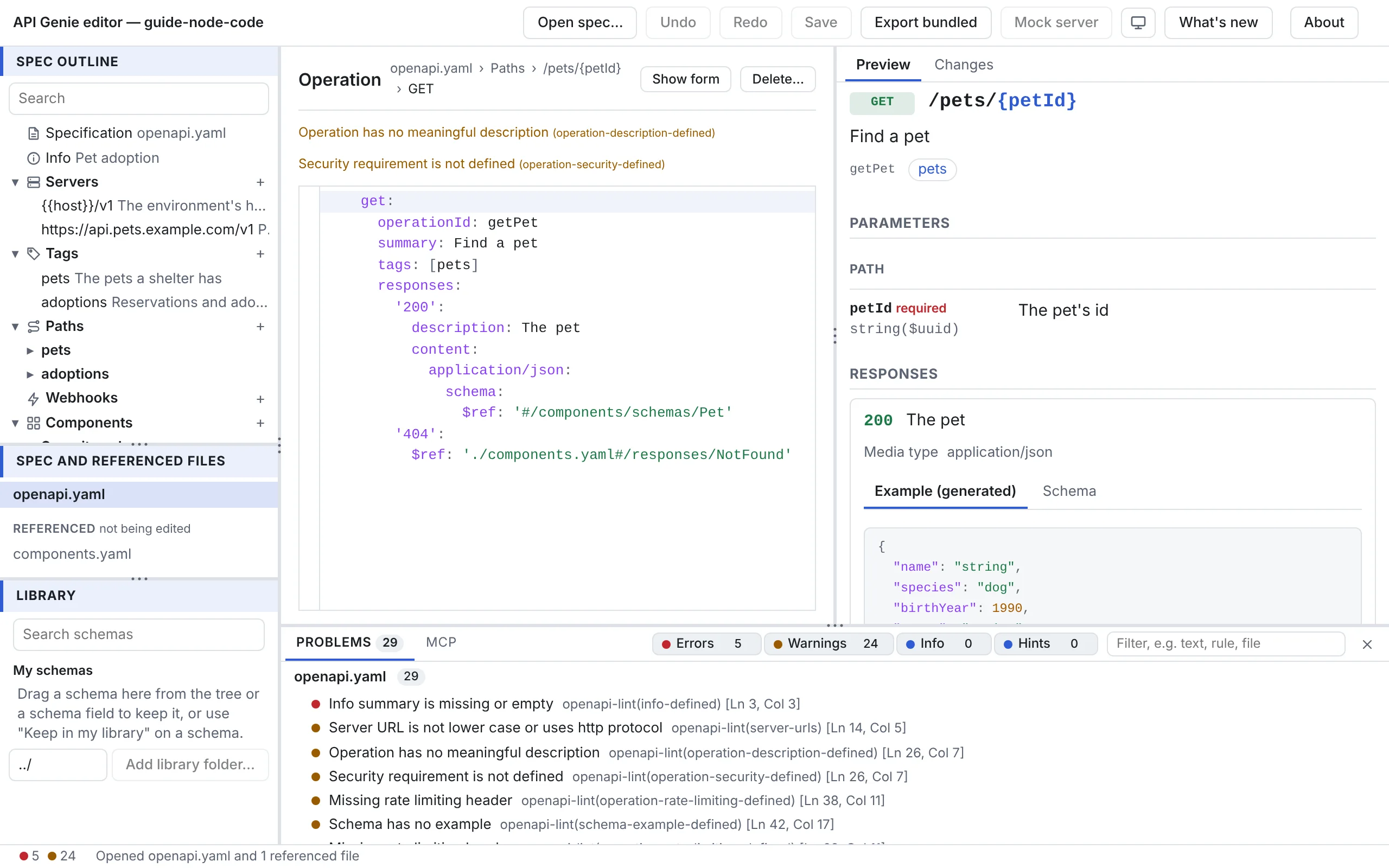
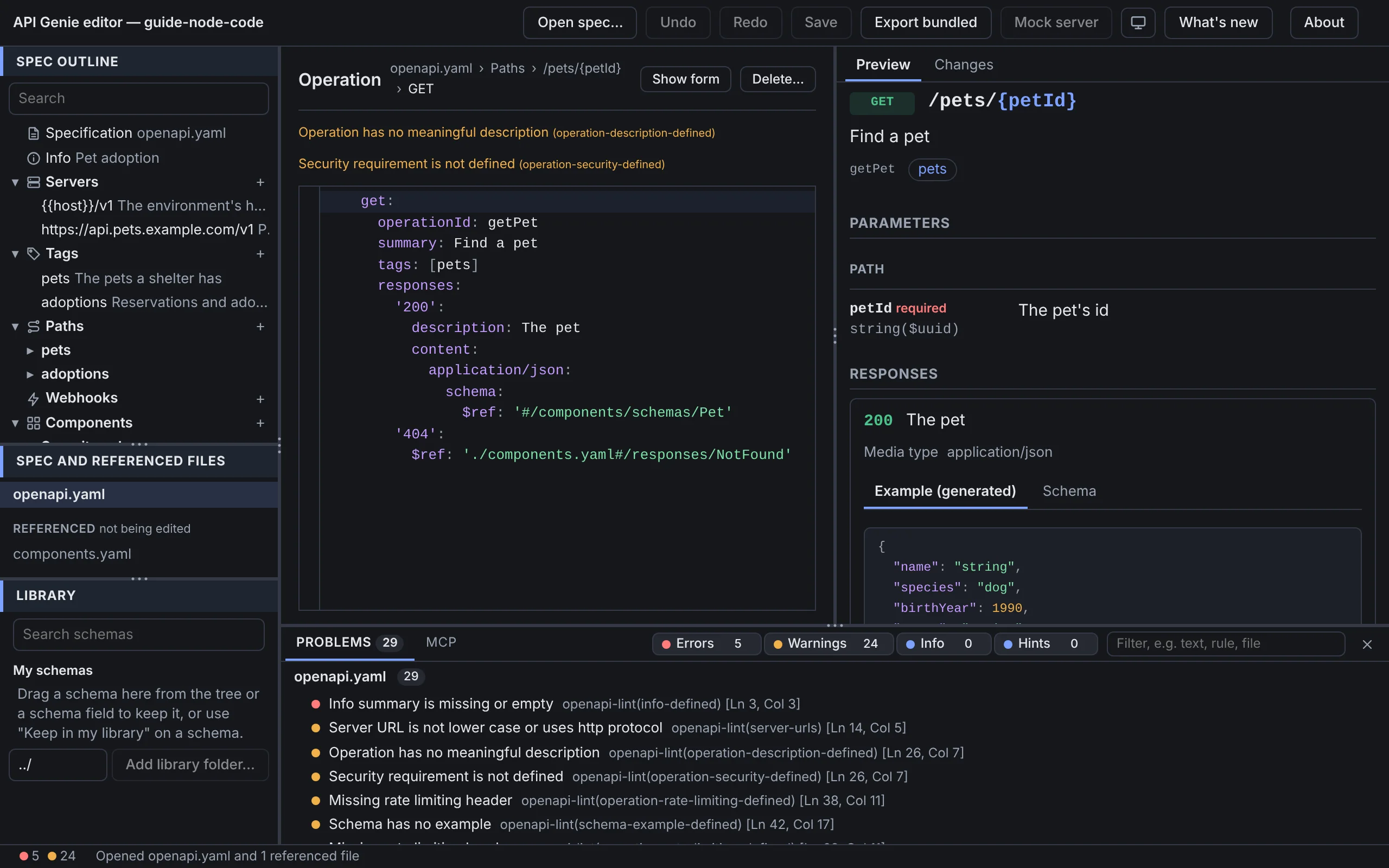
Press Show as code in the header of a form. The node’s YAML or JSON replaces the fields, in a code editor that holds only that node: its text starts at the node’s first key, and what you type goes back into the file at the node’s place. Show form returns to the fields. The type menu of the schema editor has Edit in code… for the same thing, and so has every Edit in code a form offers for a value it cannot model.
A file as code
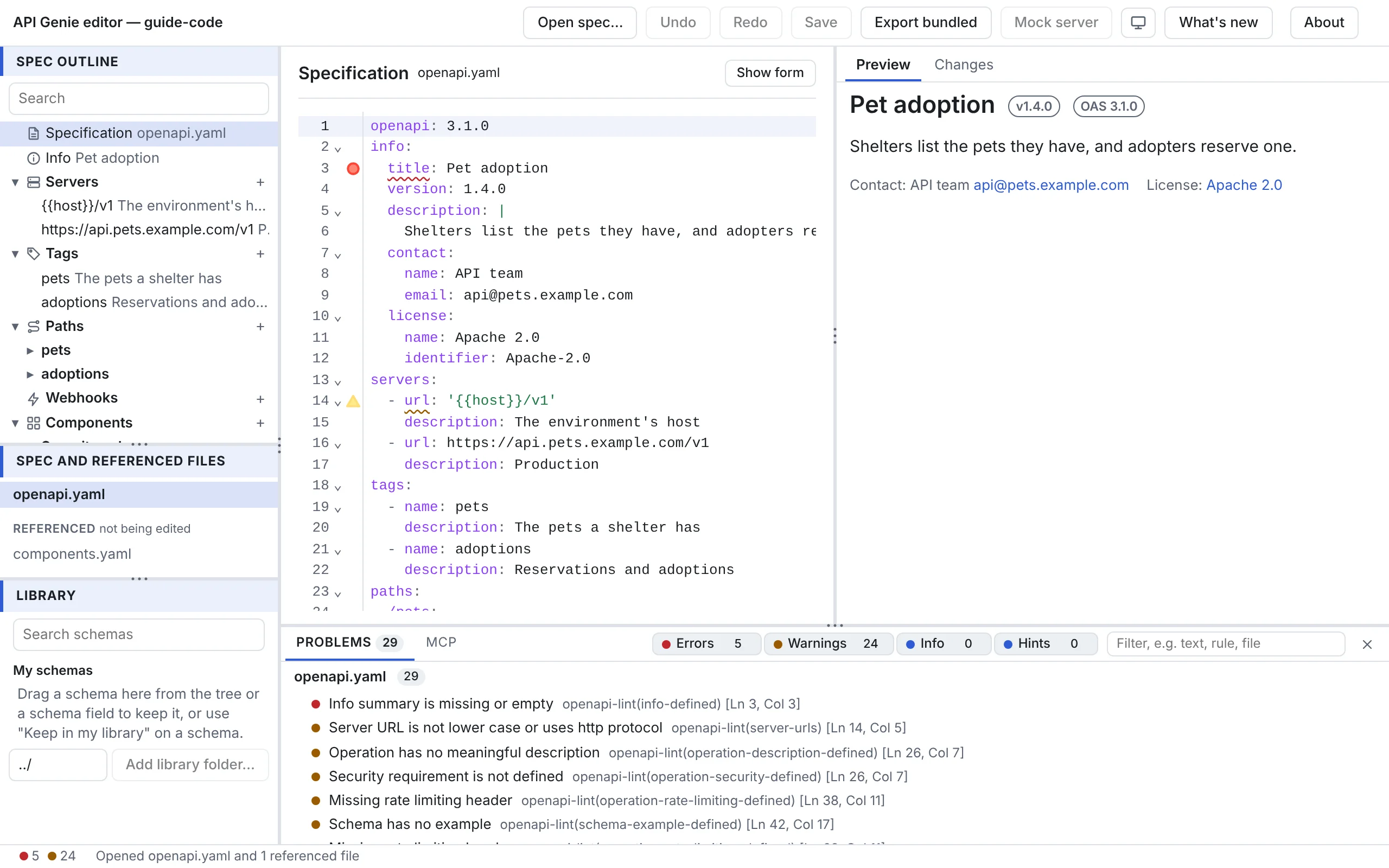
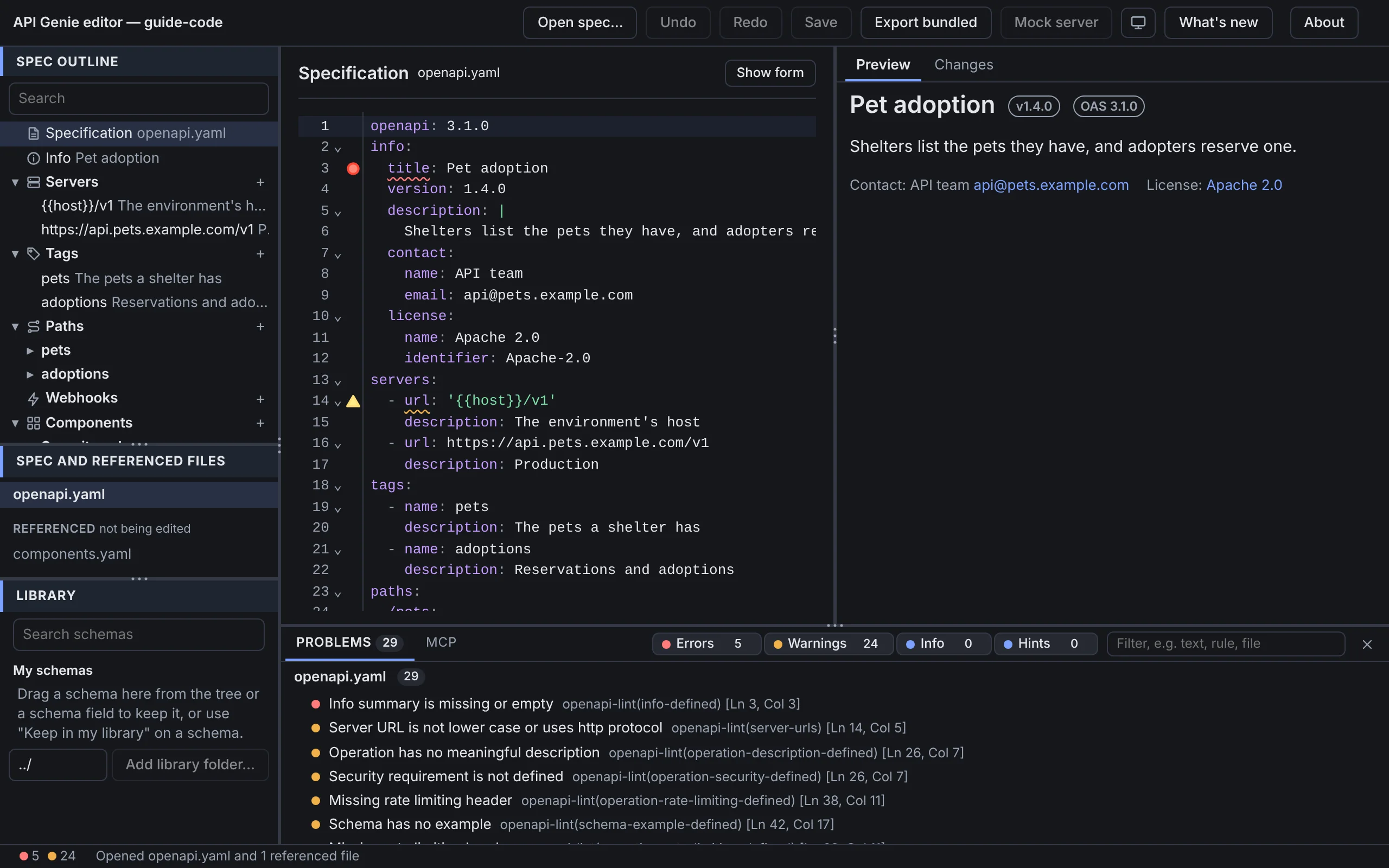
Select the Specification row, or a file in the file list, and press Show as code: the whole file replaces the form, with its breadcrumb and a Show form button to come back. While a file has syntax errors, or no longer holds the node that was selected, the form pane offers Show the file as code in place of the form; fix the text, and the forms return as soon as it parses.
Edits in the code are edits like any other: Undo takes them back, the tree, the preview and the problems follow as you type, and the Changes tab rates them.
The code editor
The editor highlights YAML and JSON, matches brackets, folds blocks from the gutter, and marks
each problem in the gutter and under its text; hover a mark for the message. Ctrl+F opens search
and replace, Ctrl+Space offers completions for the keys the editor knows at that place, Tab
and Shift+Tab indent, Alt+↑ and Alt+↓ move a line, Ctrl+/ toggles a comment, and F8
jumps to the next problem. Keyboard shortcuts lists the
rest.
Protobuf schemas
A Protobuf file that an AsyncAPI message names as its payload has no form: it opens as code in the form pane, and Show as code on the message’s payload shows the same text.
Hosts
The code editor is the same on the web and on the desktop. VS Code has its own text editor, so the custom editor shows no code of its own: Show as code reads Show in the text editor and opens VS Code’s editor beside the form, at the node; a file with syntax errors and a Protobuf file are edited there too.
Next
Fix problems is about the marks the code editor and the forms share. The editor’s hosts says where VS Code’s text editor takes over.